Abstract digital illustration featuring light blue and white UI elements, including folder icons, document boxes, and connection lines over a flowing blue and teal gradient background.

Learn Python for Organized Workplace Automation

Explore Courses

Built From Repeated Tasks and Better Questions

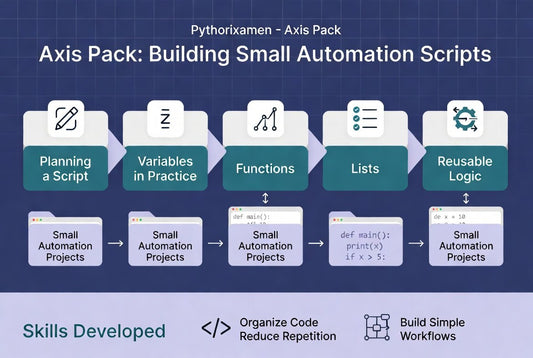
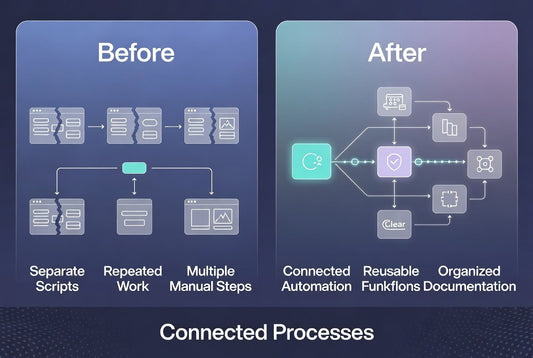
Pythorixamen began with a simple observation: many workplace activities involve repeating the same digital steps every day. Our team wanted to create learning materials that explain how Python can support these routines through clear, structured examples instead of overly technical theory. From that idea, we developed a learning path that gradually introduces automation concepts through practical workplace scenarios.

Turning Daily Workflows Into Clear Python Practice

Our mission is to provide structured Python learning materials that help people explore workplace automation with confidence and clarity. We focus on practical examples, organized modules, and step-by-step guidance that encourage learners to build knowledge at a comfortable pace while developing an understanding of everyday automation workflows.

  • Wayne Neal

    Wayne Neal

    Wayne worked in operations support and often handled repeated digital tasks across folders, documents, and internal records. He wanted a course that explained automation concepts without rushing into complex projects too early. The format was useful because each section built gradually and included examples that matched common office-style workflows. “I appreciated how the lessons focused on planning first, then writing code in smaller, clearer parts.”

  • Susan Hopkins

    Susan Hopkins

    Susan joined with experience managing reports and task lists, but she had not used Python for automation before. She wanted learning materials that explained the basics while still staying connected to practical workplace use. The explanations helped her understand variables, conditions, loops, and functions through examples related to routine digital tasks. “The course gave me a clearer way to think about repeated work and how Python scripts are organized.”

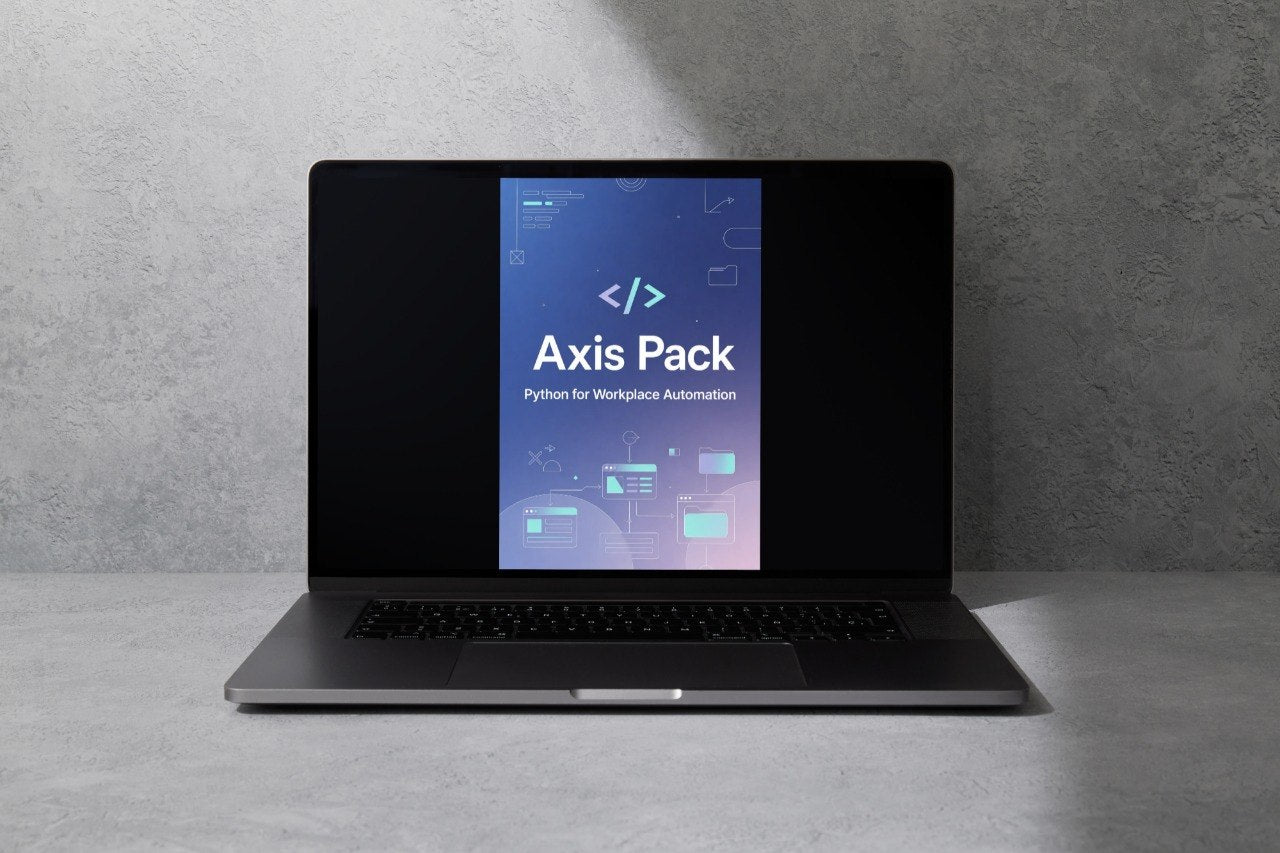
  • A dark gray laptop shown open against a plain white background, with the screen displaying a blue and purple interface that reads 'Flux Bundle' and 'Python for Workplace Automation.'.
  • A black smartphone displaying the Luma Pathway app interface, resting on the edge of a silver laptop against a white background.
  • A person holding a white tablet with both hands against a plain white background. The tablet screen displays the text 'Nexus Pathway' with a dark blue and purple gradient background and white code symbols.

Preview the Pythorixamen Learning Path

Explore a complete collection of courses designed to introduce Python for workplace automation through clear, structured learning. Each tier builds on the previous one, helping you gradually develop new knowledge with practical examples and organized modules. Whether you are beginning with Python fundamentals or exploring larger workflow projects, there is a course that matches your current learning stage. Select Preview Courses to discover the full learning path and compare every tier.

30-days refund guarantee

Try the course risk-free. If you're not satisfied for any reason, get a full refund. No questions asked. Refund requests may be submitted within 30 days in accordance with our Refund Policy

  • A stylized Python logo icon with a blue and teal snake on a rounded square, centered on a white background with dark blue geometric rays extending outward.

    Practical Examples

    Each course uses workplace-inspired scenarios that connect Python concepts with common digital tasks and workflows.

  • A minimalist digital logo featuring a stylized teal and light blue gradient letter 'C' inside a rounded square, with a faint laptop icon at the center and thin decorative curved lines around it on a white background.

    Structured Learning

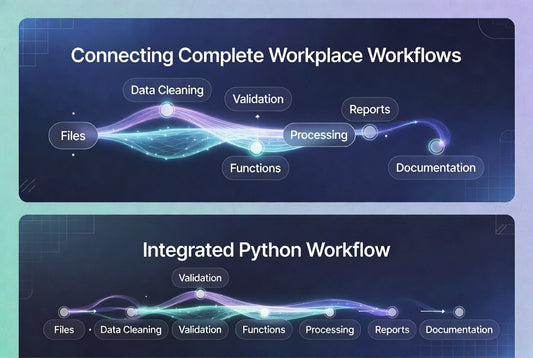
    The learning path progresses from introductory topics to larger automation projects through clearly organized modules.

  • A digital graphic showing a before-and-after comparison of a checklist or task list, with teal and light blue rounded rectangular boxes, purple arrows, and check marks on a white background.

    Flexible Study

    Downloadable materials allow you to learn at your own pace and continue studying whenever it fits your schedule.

  • A 3D digital illustration of three computer folders in shades of blue, teal, and white, with a white HTML code symbol on the front blue folder, set against a plain white background.

    Workplace Focus

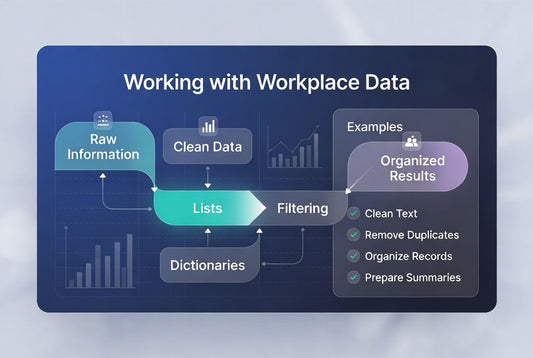
    Every tier is centered on automation concepts that relate to everyday office routines, information handling, and digital processes.

  • Python Workflow Designer - Victoria Garcia

    Victoria Garcia

    Python Workflow Designer
    Victoria creates educational materials focused on Python for workplace automation. She designs structured learning examples that explain automation concepts through practical office scenarios. Her work encourages gradual skill development using organized modules and real-world workflow examples.

  • Digital Process Documentation Specialist - Sofia Wheeler

    Sofia Wheeler

    Digital Documentation Specialist

    Sofia specializes in documenting workplace procedures before they are translated into Python automation workflows. She prepares operational guides and structured reference materials that support consistent automation planning. Her attention to detail helps learners understand each stage of a workflow clearly.

  • Automation Systems Coordinator -  Tyler Mckinney

    Tyler Mckinney

    Automation Systems Coordinator

    Tyler coordinates workplace automation initiatives by organizing documentation, reviewing automation requirements, and planning Python-based workflows. He focuses on consistency, organization, and practical implementation. His projects often combine task mapping with structured learning resources.

Start With a Free Python Automation Resource

Begin your learning journey with a free introduction to Python for workplace automation. This resource provides an overview of the learning style, practical examples, and the structured approach used throughout the Pythorixamen course collection. It is a helpful way to become familiar with the topics before exploring the complete learning path. Download the free resource and discover how the courses are organized.

  • GitHub logo with a black circle and white cat-like face design
  • Black circle with a white letter 'M' in the center
  • LinkedIn logo on a white background